
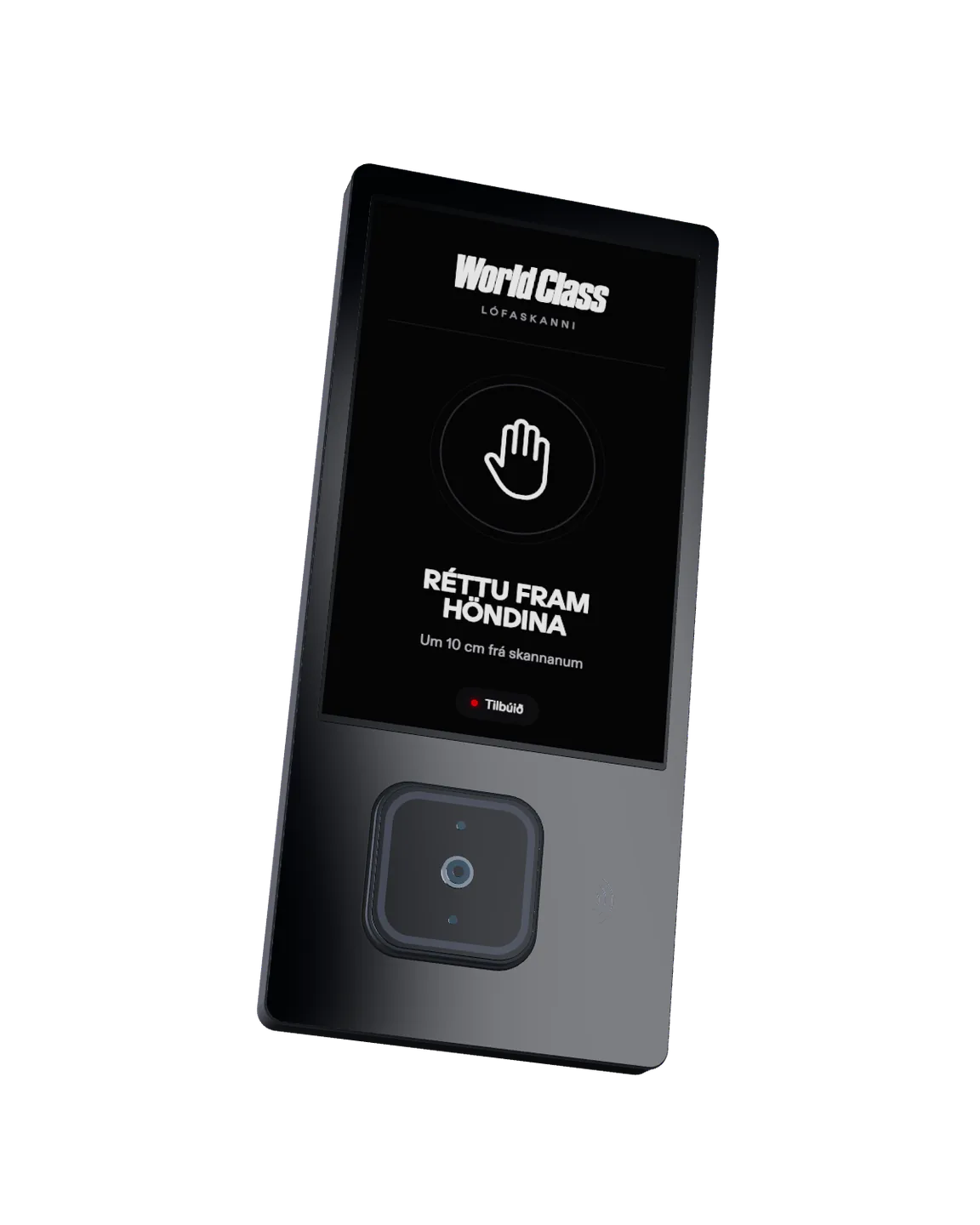
Goodbye tothe eye scanner.
The palm scanner takes over: faster and simpler.
Palm scanner on the gate
Hold out your hand.
We're upgrading our access system. The new scanners are in at the first locations and go in at the others one by one.
Get the app and create an account before you come, so your QR code is ready at the front desk.
Get the app.
The app is called ZEESAM and is on the App Store and Google Play. There you create an account and get the QR code you show at the front desk. You only need the app the first time.

Scan the QR code at the front desk.
When you come in to World Class, show the QR code from the app at the front desk and finish enrolling there.
Scan your palm.
Hold your palm 10 cm from the scanner.
Enter your kennitala.
Right on the scanner's screen. Your registration is then active.
Walk in.
After the first time it's just your palm: no app, no phone. Hold your palm over the scanner and the gate opens.
Register your palmFour steps,only the first time.
- 01
- 02
Create an account
In the ZEESAM app. Have your QR code ready when you arrive.
- 03
Show the QR code
At the front desk, hold the QR code from the app up to the scanner. Our staff will help you.
- 04
Palm and kennitala
Scan your palm, then enter your kennitala on the scanner. Your registration is then active.
Location by location.
The palm scanner is on the first gates and takes over at the other locations one by one. Registration is open at more locations. Register your palm in good time.
Questions and answers
Do I have to use the palm scanner?
No. You can always get in at the front desk, at no extra cost.
Do I need to touch the scanner?
No. Hold your palm about 10 cm from the scanner.
Do I need to bring my phone?
No. The app is only used the first time, when you register your palm. After that you walk in with your palm.
I'm under 18. How do I register?
Registration for 13 to 17 year olds opens later. Until then you get in at the front desk, as before.
What is stored about my palm?
An encrypted biometric template, never an image of your palm. The template belongs to your account in the ZEESAM app.
Can I delete my registration?
Yes, at any time. You delete your registration in the ZEESAM app.
Hold out your hand.
Get the app and register your palm on your next visit. After that it's just your palm.